How to Operate the OBC Sound System
First Things First
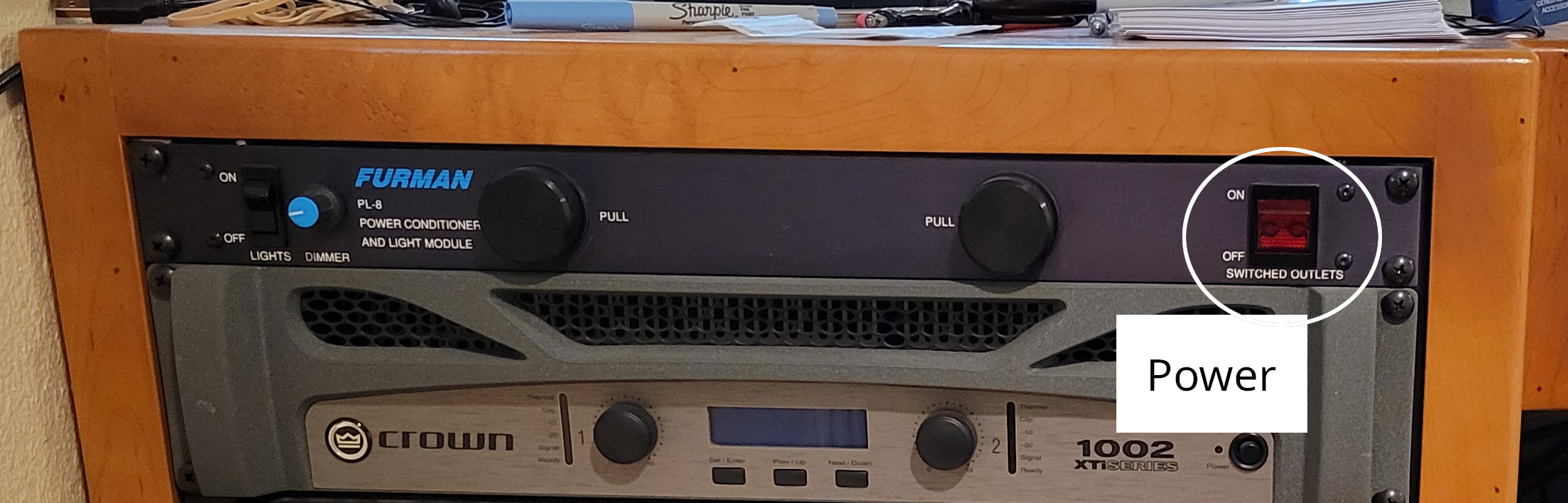
Power Up: Turn on the power supply located on the left side of the sound room at the top part of the desk.
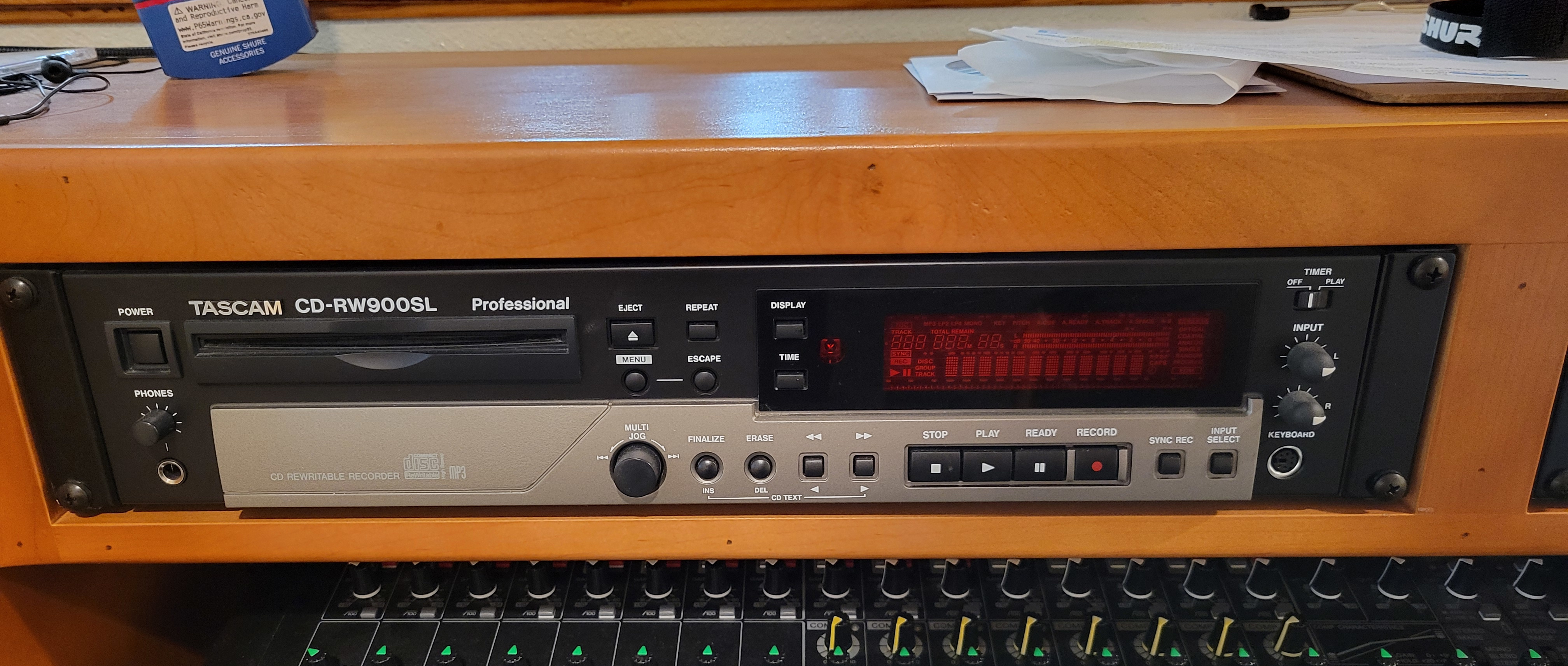
CD Recorder: Insert a disc into the cd recorder then press the record button, this will get it ready to record, it will not actually start recording until you press the play button.
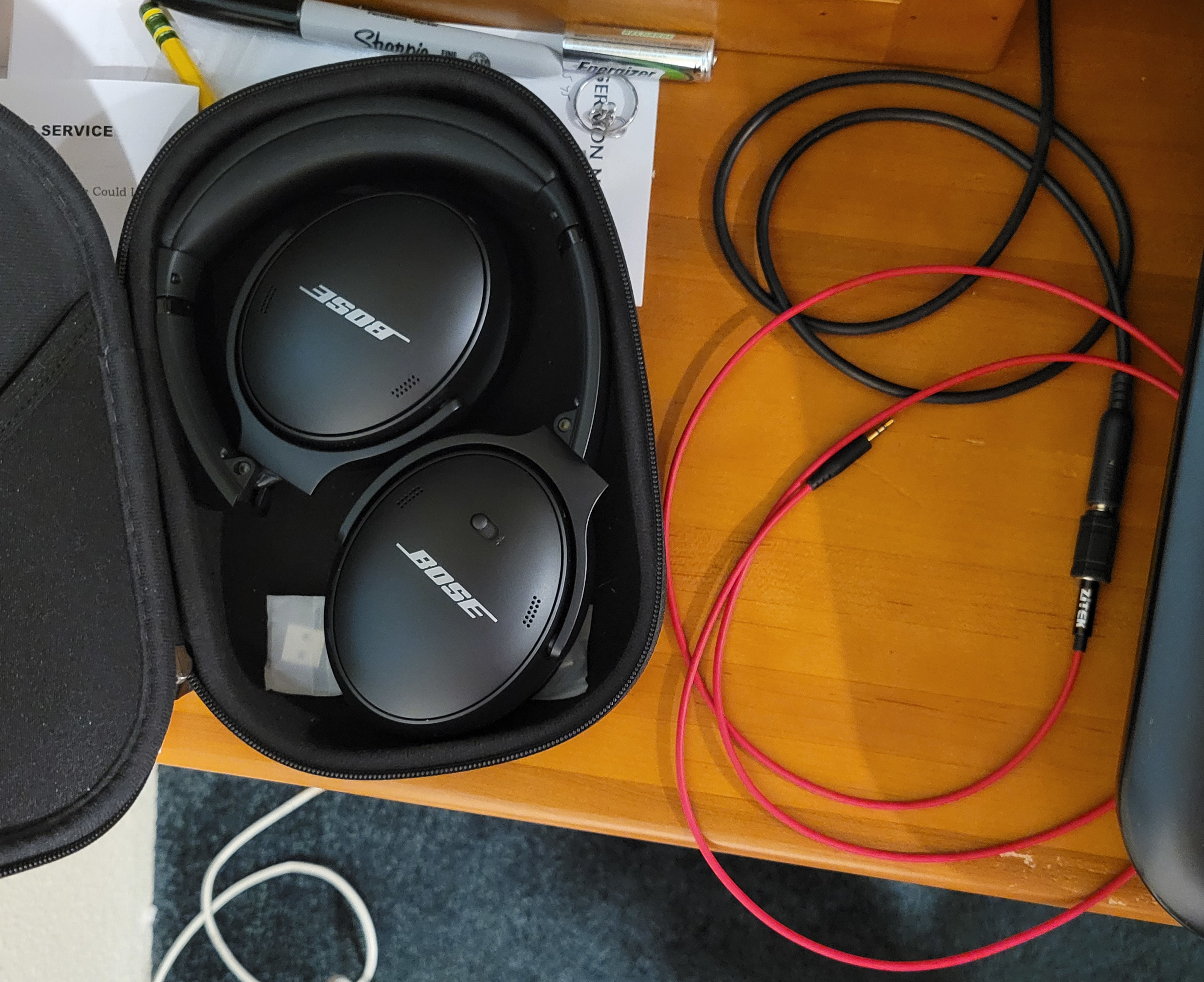
Headphones: Get out the bose noise cancelling headphones and make sure they are charged, then connect them to the red aux cable located on the desk, directly to the left of the sound board. You will use these to listen and monitor the sound that is being output to the computer and to the radio. to turn them on and put them into noise canceling mode slide the switch on the right cup all the way to the right. Now when you put them on it should be very silent.
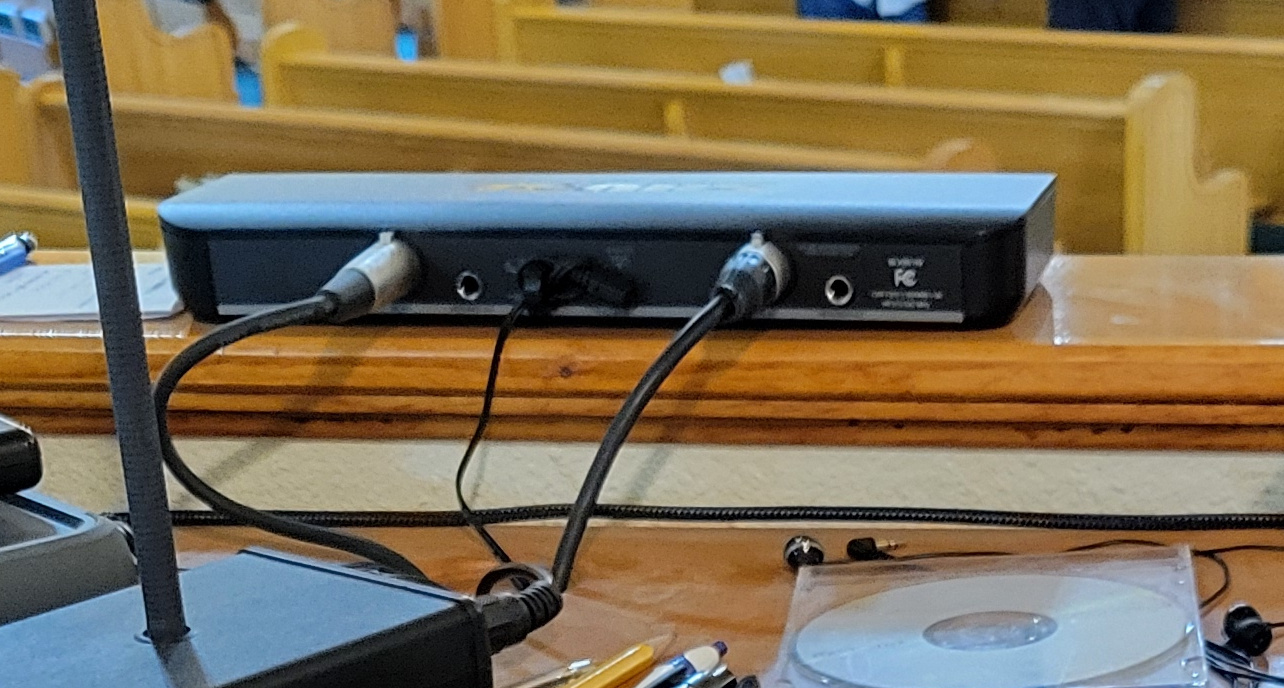
Wireless Mic's: Check to make sure the reciever for the lapel mics is on. These are the mics Ed and Josh use.
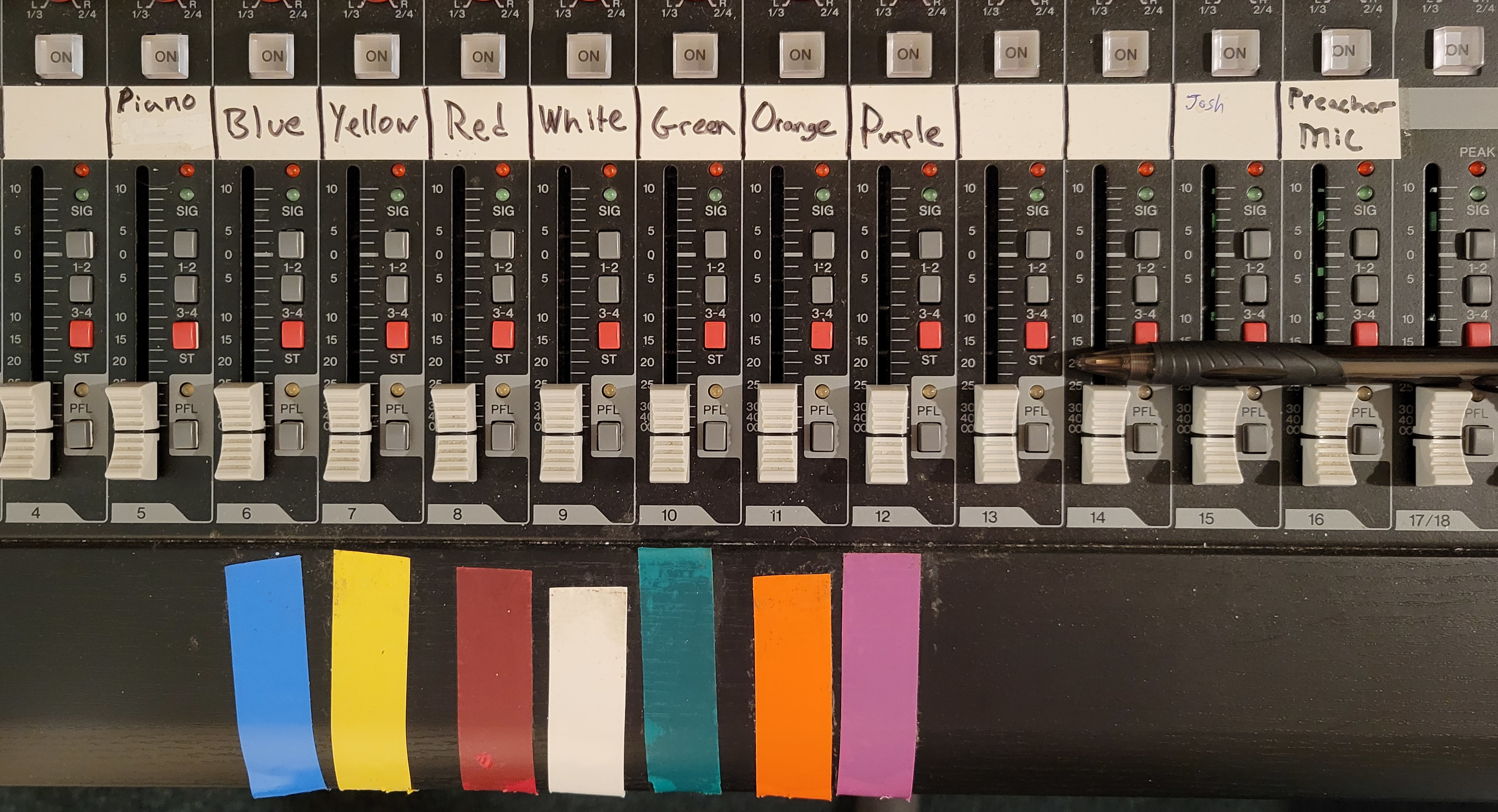
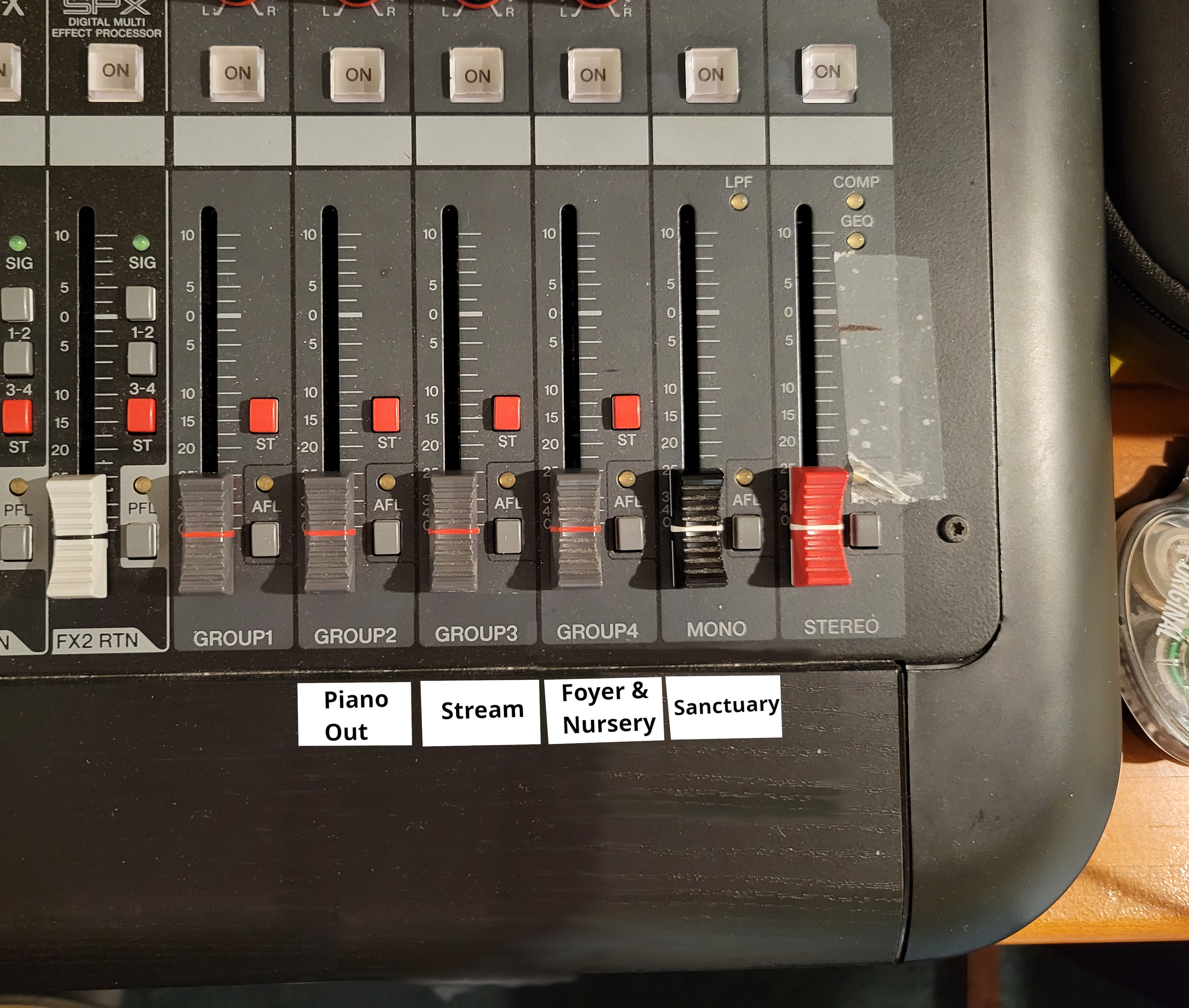
Turn on Channels: Use the "ON" Buttons (square transparent buttons above the fader on each channel) to turn on the colored mics (channels 5-12), Ed and Josh's mics (channels 15-16), and the "Piano Out", "Stream" "Foyer" and "Sanctuary" outputs (group 2-4, and mono channels).
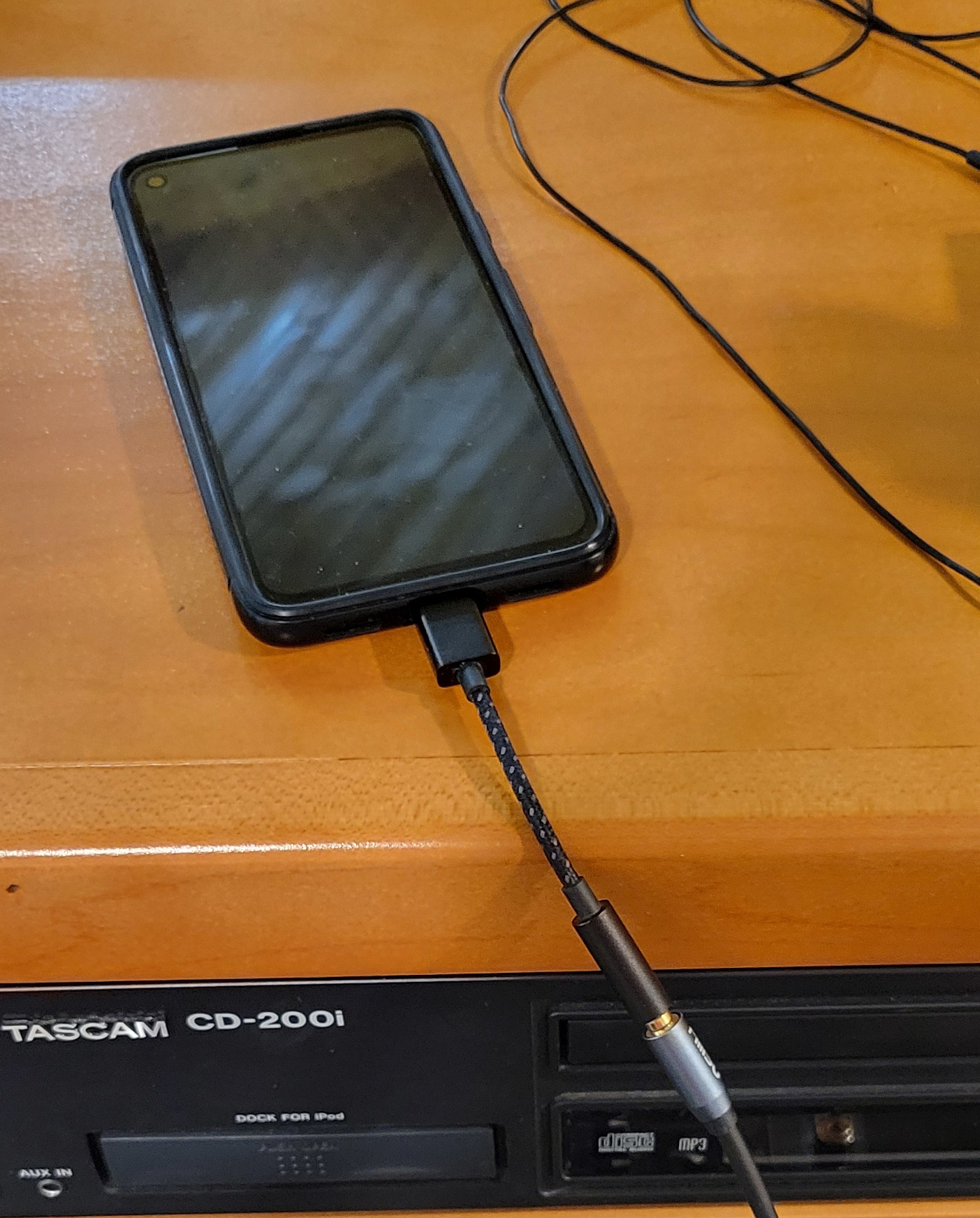
(Bonus) Recording Phone: On the phone, connect the aux cable with the usbc adapter to the phone then open the app named "Audio Recorder" and press the microphone icon to start recording piano audio.
A note about the channels
- The Mono channel controls the speakers in the sanctuary.
- The group 4 channel controls the audio in the foyer, nursery, and hallway.
- The group 3 channel controls the the audio going to the livestream and radio, as well as to the headphones.
- The group 2 channel controls the audio going to the android phone I use to record the piano.
- Channels 6-12 are the colored mics that the worship team uses.
- Channel 5 is for the piano. The piano goes through this channel and to the radio and livestream.
- Channels 15 and 16 are Josh and Ed's microphones.
Service time
Song Service
- Joan Plays: Around 10:50 Joan normally starts playing piano as people are coming into the sanctuary, at this time turn up the Piano Out, Stream, Foyer, and Sanctuary faders to the line marked "0". Then turn up the Piano fader to the 5 mark that is under the zero.
- Service Start: Normally Lee will get up on stage with the other singers and give you "The Nod" to signal that the song service is starting.
- Turn up all the singers microphones to the line marked "0". Then adjust from there.
- If Tammy is singing (she is usually on the White mic which is channel 9) turn her fader down to somewhere between 10 and 15. this is because her voice carries very well and will drown out all the other singers.
- Then turn Lee's mic (usually the green mic on channel 10) down to 5 or so because he also carries well over a microphone.
- Now you can use the headphones to tweak and balance the channels to make the song sound good to you. if it sounds good in the headphones it should sound good on the livestream and in the sanctuary.
- Announcement's: Announcements you can leave the faders where they are, but Lee will need more volume so people can hear him, I usually turn his fader up to just above the zero.
- Ed Goes on Stage: After announcments Ed usually talks, he uses the microphone marked "Preacher Mic" (on channel 16), I usually turn him up slowly because his volume can vary quite a bit from day to day. I usually end up with his fader around the 0 mark.
Then while singing I usually turn Ed's mic down to below the 15 because he carries very well while singing and has a distinctive voice. - Rinse and Repeat: During all the songs it is really just repeating the steps above. Every song is different so you will need to rebalance a bit for each song, but it's not very difficult once you figure it out.
- Start Recording: When the song service is over and Ed is praying press the play button on the cd recorder to start recording the sermon. Then drop all the faders on the colored mics, so they don't make a ton of noise as the worship team move the mic's to the back of the stage.
Sermon
- Preacher does Preaching: Once Josh is on stage you can turn his mic the marked "Josh" (channel 15) up to the 5 then adjust him up or down from there.
- Joan stops playing: After joan finishes playing, you can turn channel 5 all the way down.
- Small Adjustments: Monitor Josh's volume and adjust his mic so that he's always loud enough understand, and use the headphones to make sure he is being broadcast clearly over the livestream.
- Do other things: Now you can listen to the sermon, take attendence, and relax a bit. the hardest part is over.
After Service
- Fader's Down: After service you can turn down all faders and turn off all the channels.
- Headphone's Off: Turn off the headphones
- Phone Off: Shut down the piano recording phone
- Finish CD: On the cd recorder press the stop button and then finalize the disc by pressing the "finalize" button and confirming it by pressing the big knob on the left twice.
Afterward eject it and write the date, sermon title and the preachers name on it. put it in a sleeve and add it to the stack. - Kill Power: You can now turn off the power supply.
- Count Attendence: Count up the attendence and write it in the Becky Book, then update the Sunday attendence board in the Sanctaury.